AnexTek – Technology Blog, Tech Reviews & Articles
Mobile

Tylt Energi Review: Backup Battery & Charger For Cell Phones

February 10, 2012 by · Leave a Comment 

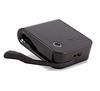
It’s sleek, it’s compact, and it will completely charge your cellphone even when there’s nary an electrical socket in sight. Meet TYLT’s Energi. This nifty travel charger with built-in battery will save you many hassles, especially during those times when you’re already feeling harried. Think back to the last time you had to endure a longer-than-expected stay at an airport terminal and every single socket you could locate remained occupied, uninterruptedly, the whole time you waited for your flight to arrive.

If you had packed the Energi, the handsome gadget, that’s thicker than a credit card but hardly longer than one, would have given your smartphone a full charge-up without the need to awkwardly ask a fellow traveler if he minded ceasing to be a socket-hogger for just a few minutes while you charged your phone. It also only weighs 3.8 ounces so it won’t be bulking up your carry-ons.

As a backup rechargeable battery pack combined with a rapid home charger, the Energi makes a smart addition to your techie trove. It has a high-capacity internal 1800 mAh lithium-ion battery that can deliver one full charge to a smartphone, one-third charge to a 7” tablet, or twelve full charges to a Bluetooth headset.

The Energi is efficiently designed. It comes with AC prongs that fold away very nicely and no tangle-y or bulky cords. Instead, there’s a micro-USB charging cable that’s fashioned as a flexible foldaway arm. Its female USB charging socket is universal, giving you ample leeway to charge just about any popular wireless device. So, if you happen to carry two smartphones on a regular basis, or want to give a battery boost to both your iPhone and Kindle — the Energi will let you charge both of them at once.

And when you’re ready to boost the Energi’s own battery reserve, just plug it into a wall outlet. If you connect another device to the Energi while it’s being juiced up on the wall, you can charge both your backup battery and whatever device you connect to it. A button and light on the Energi’s body lets you know easily how much power is available. Unused charge remains stored for one year year.

CES 2012 Report and Product Reviews

January 17, 2012 by · Leave a Comment 

CES 2012 Crowd
Article by Pierre Zarokian

Me and one of our staff members just got back from CES 2012 in Las Vegas and a have a lot of product reviews that will be posted in the next couple of weeks. The show was amazing and amazingly huge. 150,00 people were there and with 2 of us there in 2 days we were still not able to see the whole thing.

This year it seemed there were many more booth babes than ever. Please see some of the picture of these hot booth girls here.

This year like the past 3 years 3D TV was a hot topic. Other hot products included tablet PC’s and cell phone accessories. There were also plenty of new interesting gadgets, like: small vibrating speakers that made a bass sound when placed on large empty cardboard box or a wooden shelf; Gloves that let you use your touch screen phone; Screen that went in front of your laptop to make it 3D Capable and more. “Anything” wireless was also a hot topic, such as Wireless Speakers from several companies like Altec Lansing and Wiresless IP Security Cameras.

Rapper 50 Cent was also there with his new headphone company called SMS Audio, which also had a wireless version.

checkout our report on these bendable/wearable speakers.

Please stay tuned for our more detailed posts as well as videos in the next few days.

2011 Numbers Spike for Portable Device Activation and App Downloads

December 12, 2011 by · Leave a Comment 

Article Submitted by Adam Smith of Moba Project

Not that oranges are edible objects to scorn at when pulled from a velvety Christmas stocking, but the estimated 6.8 million folks who retrieved an Apple or Android mobile device from the socks hanging from the faux chimney (in California, at least), on X-mas would concede that the object they got was the better of the two choices.

Flurry Analytics took a hard look at the numbers and concluded that on December 25th, 6.8 million smartphones and tablets, combined, were activated worldwide. Flurry Analytics tallied the numbers by tracking activity on 140,000 apps. There was no disclosure about the individual totals for the two device brands. But what is known is that last Christmas only 2.5 million devices were activity, and 2011’s showing expresses a tremendous growth. It’s believed that approximately 10 billion apps were downloaded this year. In a two-hour span on Christmas, 7pm and 9pm, peopled downloaded 15 million apps.

Mobile, Web And App Testing Tools

August 9, 2011 by · Leave a Comment 

In today’s world, everyone has a mobile phone. More people use mobile phones to handle their business, play games and get their news than even computers. If you are a company that develops mobile applications, you are in big business. It is a lucrative field with a huge market that consistently keeps growing. The demand for mobile apps is high, with consumers expecting more and more from their mobile phones than ever.

For businesses to be successful at building top of the line applications, mobile application testing is going to be a priority. Developers need to keep up with the high demands and trends, with usable applications that work on all mobile phone brands. This is a developer’s biggest challenge. Each mobile phone brand has its own set of operating systems and differences, making mobile application testing crucial. If your company plans to do their own testing, there are a number of free load testing tools you can use. These tools should be useful at testing the most popular mobile phones out there. If you are the owner of a website, some of them can also be used to ensure that your site is also mobile friendly.

iPhone
There are two testing applications for iPhone. iPhoney and Testiphone.com. Testiphone.com is a web browser simulator for quick testing of your iPhone applications. iPhoney is designed for web developers who are creating websites for use with iPhone. iPhoney will only run on MAC OS 10.4.7 or later.

Blackberry
The Blackberry load testing tools comes in a wide variety of simulators that emulate the functionality of their products. With these simulators, you can see how your application will work with their keyboard, screen, and track wheel.

Android
The Android SDK mimics the software and hardware of their typical mobile phones. This emulator will allow you to test your applications while the phone is running any other applications. You can use you own mouse and keyboard to act out the functions of your application.

iPad

iPad Peek will help you to see how your website will look and function on an iPad. The keyboard and mouse on the Peek are just for show but you can still use the reload button and switch the view from portrait to landscape.

Smartphone
WinWap Smartphone browser emulator is a service you use on your Windows PC. It emulates the way consumers use mobile internet services on the phones built in browser. This emulator is great for providing you the real experience of using web services on the mobile Smartphone.

These are just a few samples of ways you can get the most out of your applications with testing. Before releasing your app, you really want to be sure it works well with all mobile phones, looks great, and is easy to use and functional. Depending on your company budget, you can also get outside help with application testing companies. They can provide minor or extensive testing services and give you professional advice on developing the best application for your business.

Read more on Technology Blogs.

A new iphone app that takes voice commands to complete tasks

February 2, 2011 by · Leave a Comment 

This is a Sponsored post written by me on behalf of Evie. All opinions are 100% mine.

evie-tips-mode-summary.PNG (27 documents)
Uploaded with Skitch!

I recently received an sponsored offer to review this iPhone app. After reading about it, I can’t wait to try it out myself. It is basically an app that makes your iPhone take voice commands from you and complete tasks. This is a great feature, specially for those that drive a lot. With all the laws in most states, making texting while driving illegal, you can feel more comfortable using your cell phone with voice commands and not get tickets. The app is called Evie. Below are some of the features:

You can announce the name of anyone in your contacts or announce the phone number to call them. For example: “Call Janet on her cell phone” or “Call 555-828-1234.”   You can also  play any song from your music library, simply by calling the song name, artist or genre. You can also play podcasts and audio books. For example: “Play Michael Jackson” or “Play The Way you Make me Feel.”

If you are driving and need to find a point of interest or business around where you are, you can again use the voice command. For example: “Find the nearest hospital” or “find Taco Bell in Simi Valley.”

Finally, you can also make your iPhone read you your Facebook feeds. It is a great feature to save more time.

Evie is a great app specially for while you are driving. It’s also great if you are a mom and got your kids in the car. Everyone knows how tough it is to raise kids, so anything that can help in freeing up some time, is a great help. Best of it is completely free. To find out more about the app or to download visit the Evie website.

Visit Sponsor's Site

Windows Phone 7 Shuns Native Code

March 25, 2010 by · Leave a Comment 

By Sean Sarian


Microsoft’s confirmation that Windows Phone 7 (formerly Windows Mobile 7) will not support native code has left several vendors stumped. The reason behind it seems solid enough; sandboxing native code is a difficult task, so why not get rid of it altogether? While this may work for several applications, it is not feasible for browser vendors.

The first of the browsers to call it quits was Firefox. The version of Fennec being developed for WP7 is now on hold permanently. The reason is simple; rewriting large amounts of code to fit the new requirements is an unnecessary cost for vendors. Google and Palm once went the route that Microsoft is taking but understood enough to back down and let native code through.

The real test for Microsoft will be the performance of Internet Explorer. In the previous versions of the OS the only saving grace in the browsing area was that users could install other, better browsers. But with Firefox dropping out and Opera expected to follow, it is not clear as to how the browser support will pan out. So if IE drops the ball on the browsing experience, the Windows Phone could face an embarrassing failure in sales.

On the positive side though, Microsoft promises a more secure OS run with Silverlight, XNA and Flash (due to popular demand and perhaps as hit to Apple) and a better IE that responds more accurately to finger inputs. But unless the user experience is surprisingly superior to any other similar product, the Windows Phone already looks doomed.

For more mobile phone news, visit Moba Project, which offers the latest news and articles on Mobile phones and devices..